Worldbuild
In testing · iPhone
Orbit
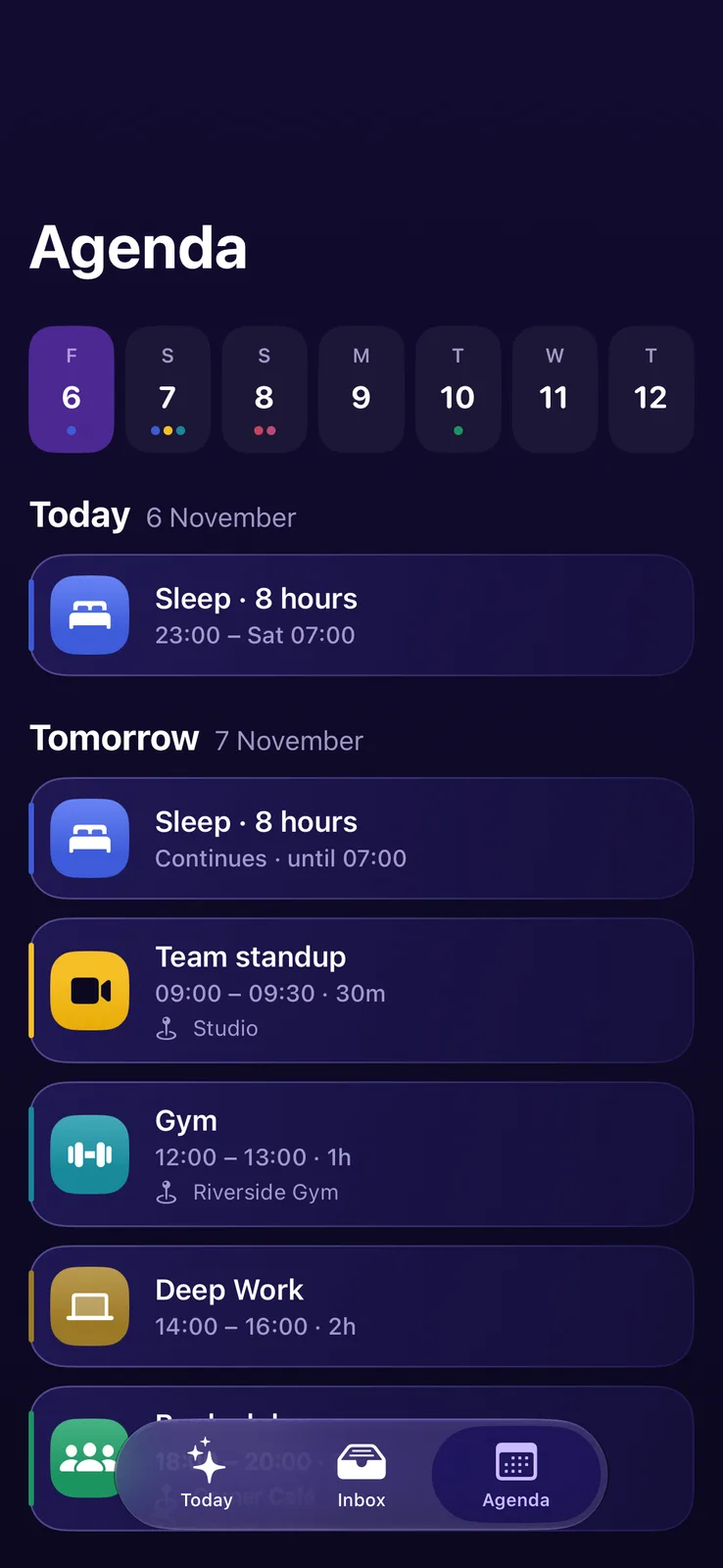
Your email to-dos and your next events, at a glance.
An iPhone app with Home Screen and Lock Screen widgets. It works with your Gmail and Google Calendar, picks out the emails that actually need something from you, and puts them in a to-do list next to what's coming up.
The problem
The things you need to do are buried in your inbox.
Someone asks you to confirm a time, send a file or reply by Friday. That email lands between receipts, newsletters and notifications, and a day later it has scrolled out of sight. Your calendar lives in a different app, so you never see the two side by side.
Stars and flags only help if you remember to use them, and you still have to open the inbox to see what's waiting.
Orbit reads your inbox for the emails that need you, turns them into a to-do list, and puts it on your Home Screen next to your next events.
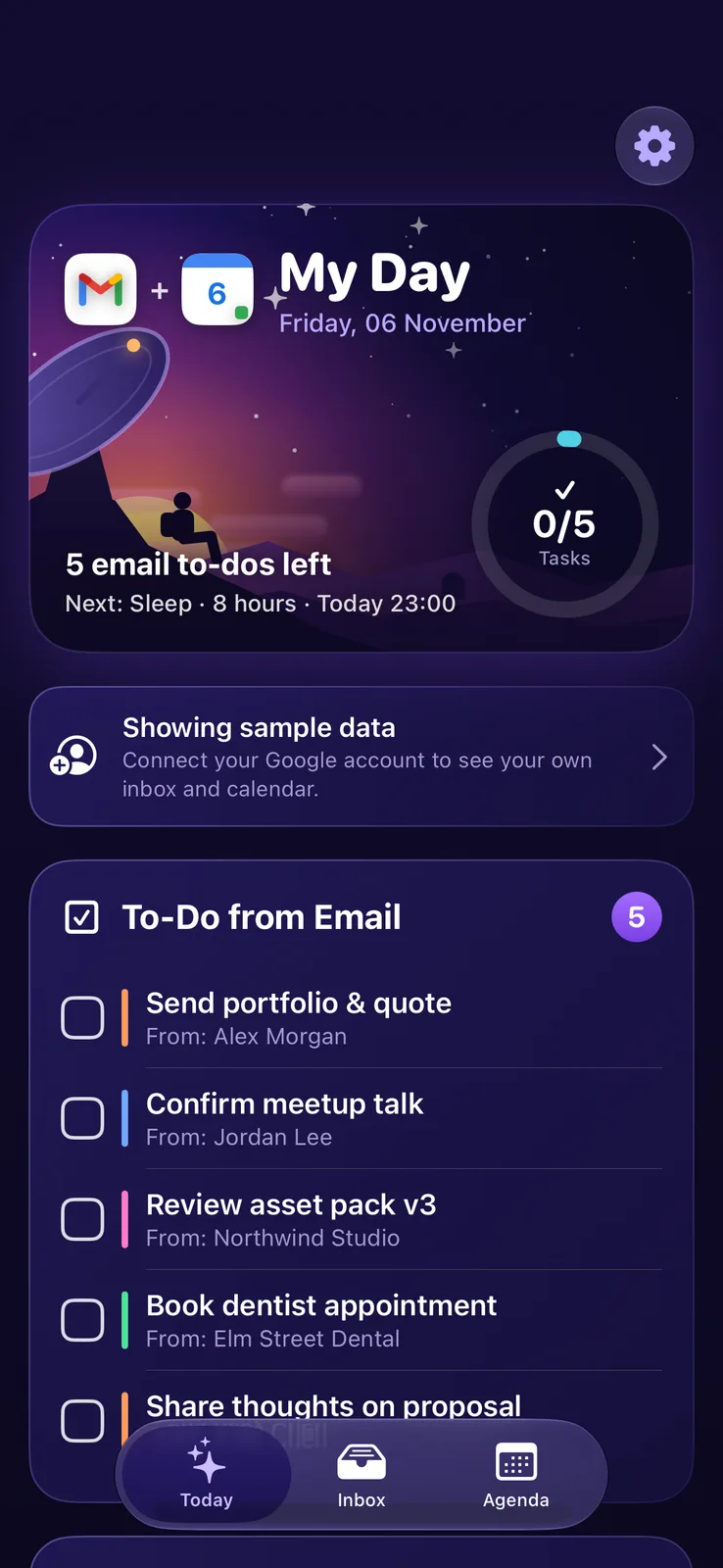
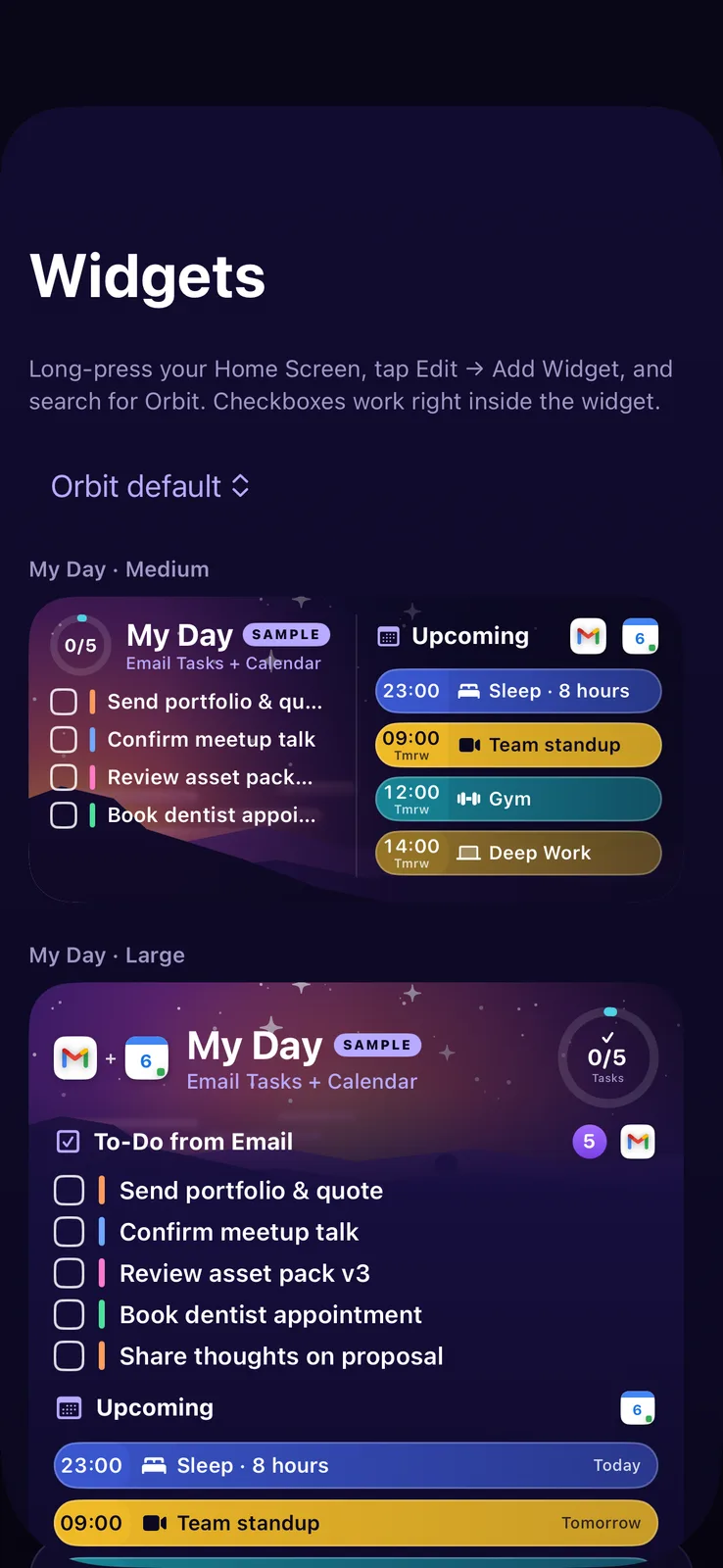
My Day
A progress ring, your to-dos from email and your next five events in their calendar colours. Tick things off as you go.
Finds the asks
Each email is scored for things you need to act on, like "can you…", "confirm" or "by Friday", plus starred and unread mail. Bots, receipts and newsletters are filtered out. On iPhones with Apple Intelligence, the on-device model rewrites each one as a short task.
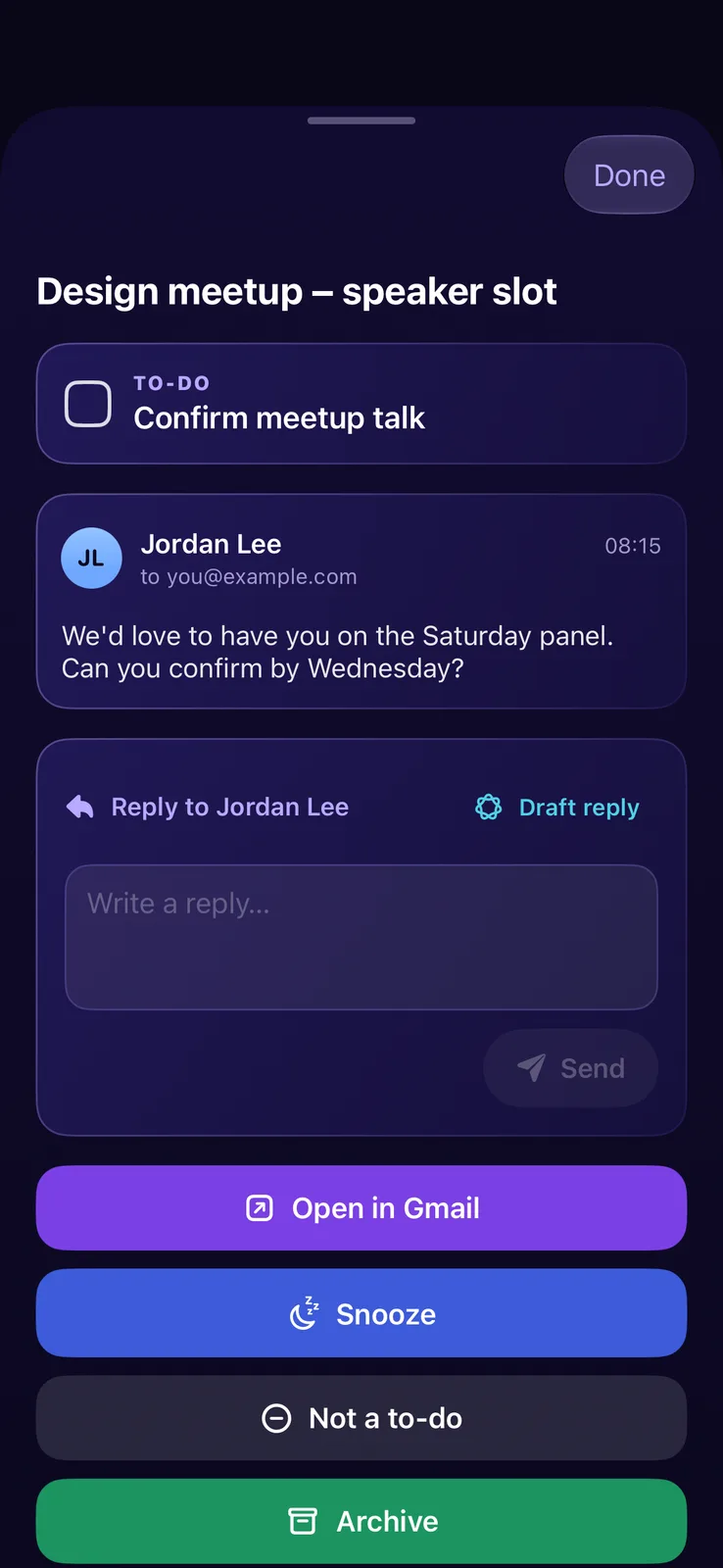
Snooze it, or say it's not a to-do
Long-press for Open in Gmail, Snooze, Not a to-do or Archive. Snooze to later today, tomorrow at 8:00, this weekend or next week, with Undo if you change your mind.
Widgets you can tick
My Day, Email To-Do and Upcoming widgets for the Home Screen, plus Lock Screen ones. The checkboxes work right on the widget (iOS 17 and later).
Read and reply in place
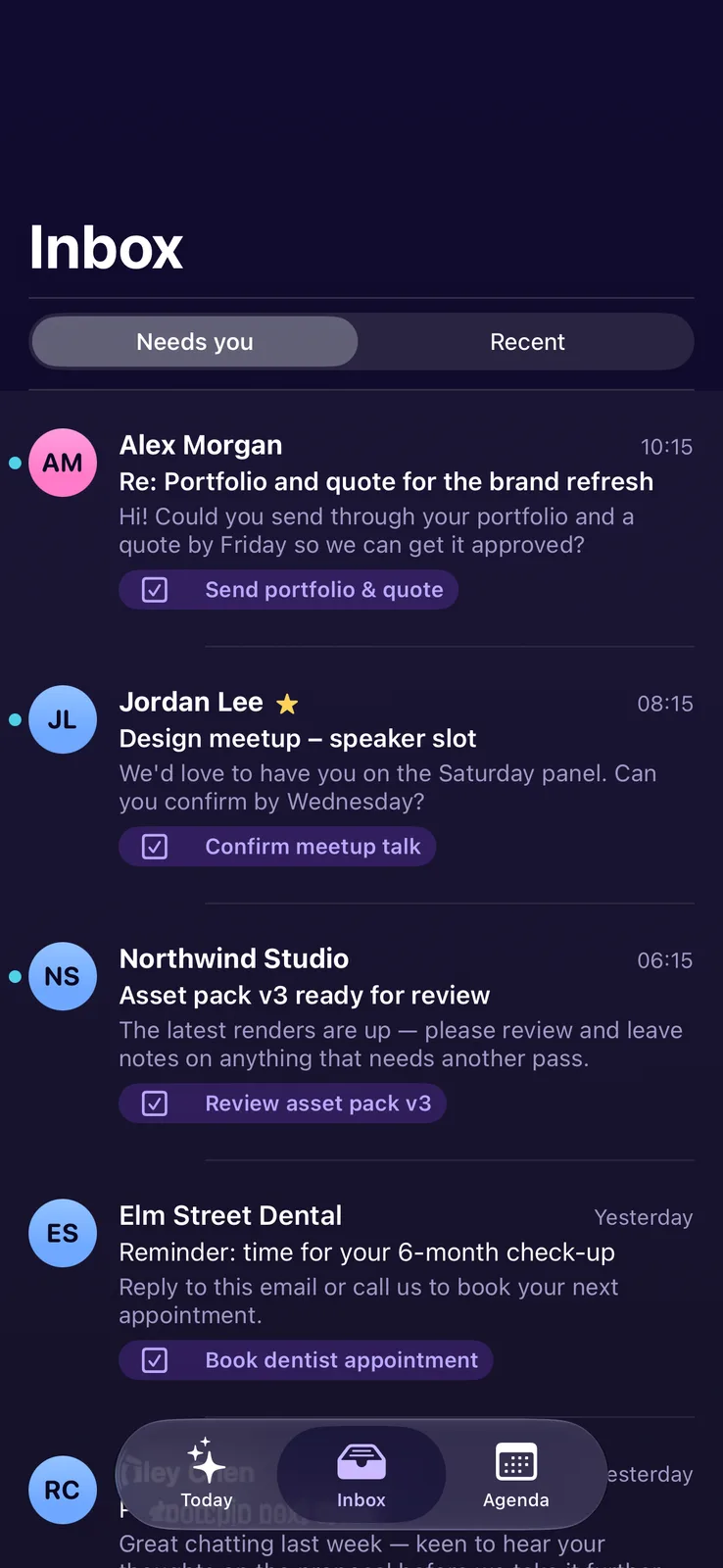
An inbox split into Needs you and Recent, full conversations, and replies without leaving the app, with an on-device draft to start from.
Want it when it opens up?
Orbit is a personal build for now, and Google sign-in is limited to testers. Leave your email and we'll tell you if that changes. Orbit isn't made or endorsed by Google.