Worldbuild
Coming soon · Mac, Windows, Linux & phone
Deez Project Manager
Every project you're juggling, in one list, on every machine.
One table for your Unity, Unreal, web and client projects, with priority, status and GitHub state at a glance. It syncs across your Macs, PCs and phone, and keeps an eye on the machine and your AI usage limits too.
The problem
When you have twenty projects, you lose track of half of them.
If you build a lot of things, they end up everywhere: Unity projects in Unity Hub, VRChat worlds in the VRChat Creator Companion, web apps in random folders, client work in a notes app, and repos on GitHub that may or may not be in sync with the copy on your laptop.
None of those tools know about each other, and none of them are on every machine you use. So the real list of what's in progress, what's urgent and what's behind lives in your head.
Deez Project Manager pulls it into one list you can sort by priority, and keeps that list the same on every device.
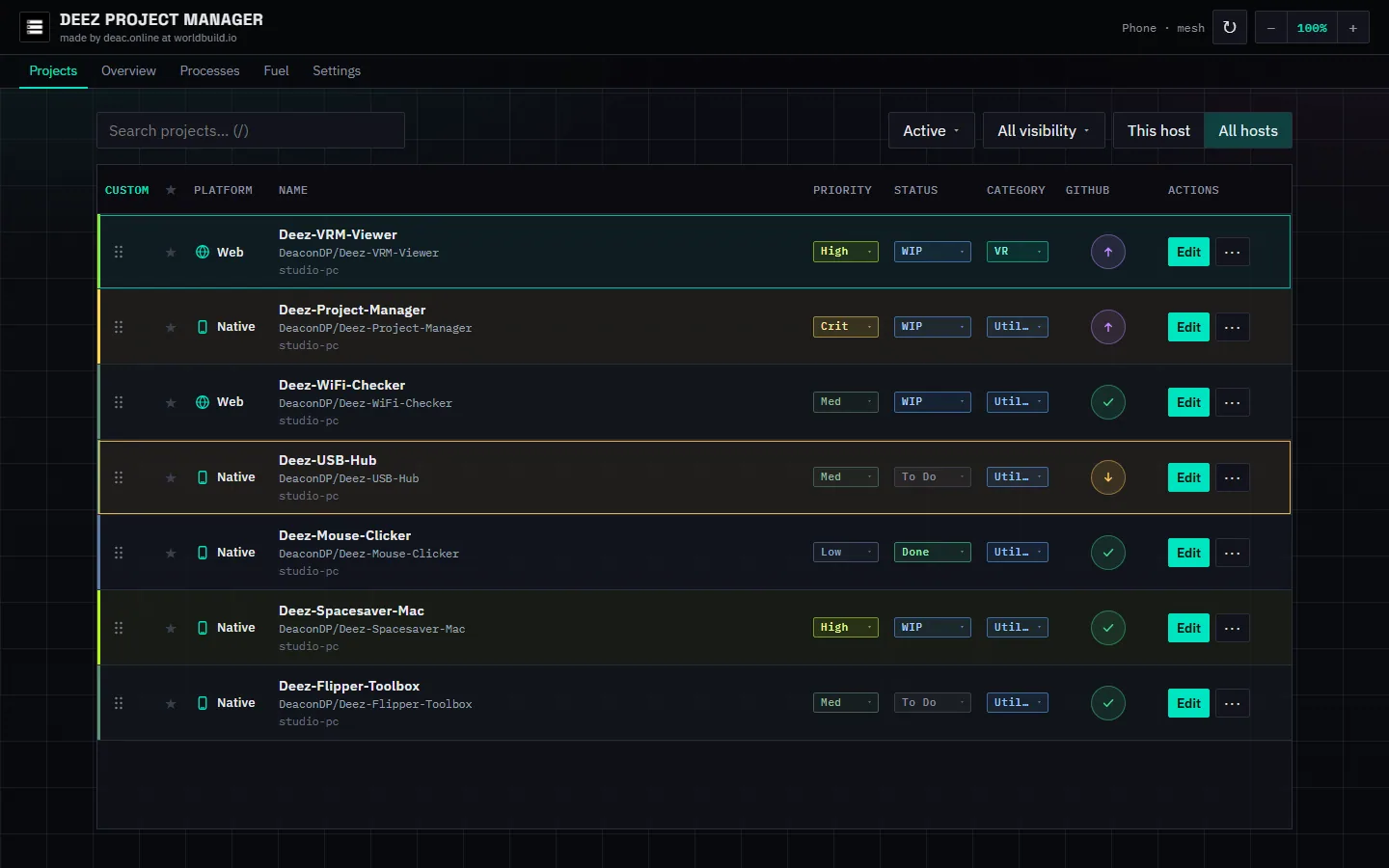
One projects table
Priority, platform, status, category and GitHub state (ahead, behind, private) for every project. Drag rows to reorder; it autosaves.
Import what you already have
Pull projects in from Unity Hub and the VRChat Creator Companion, add local folders, or import from GitHub, private repos included with a token.
Synced across your devices
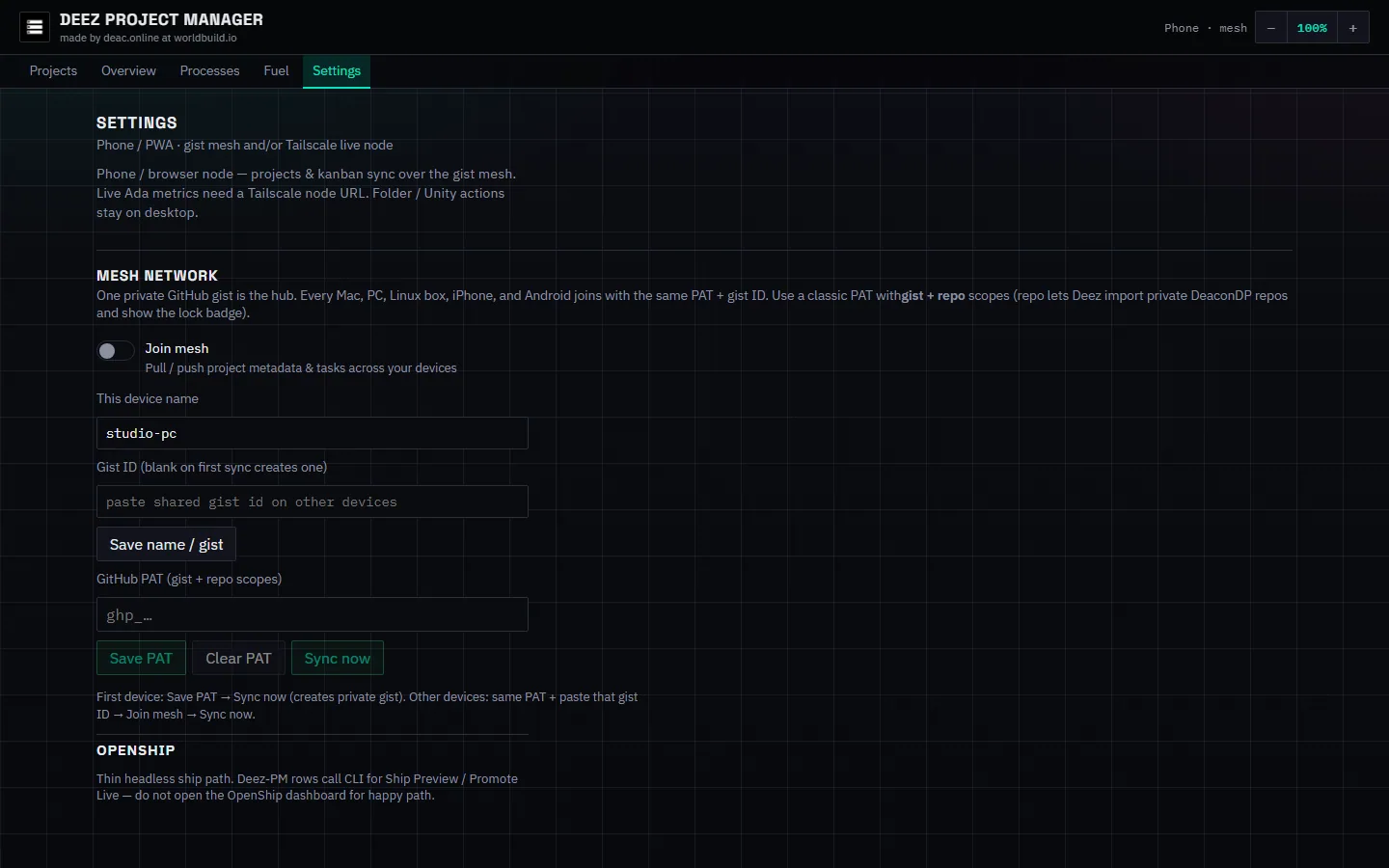
One private GitHub gist links your Macs, PCs, Linux boxes and phones. Projects and tasks sync; local folder paths stay on each machine.
Machine and AI usage at a glance
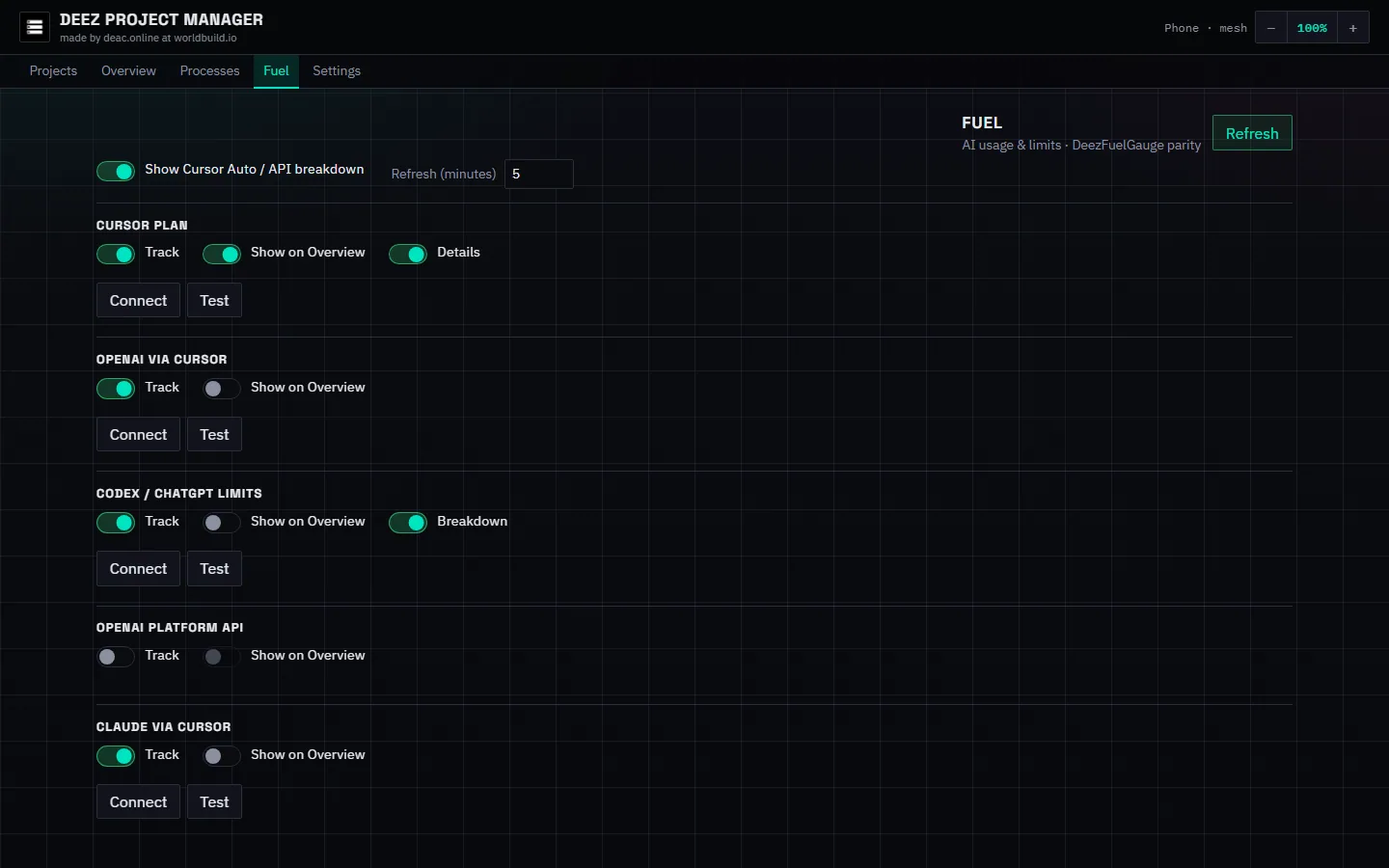
Overview and Processes tabs show CPU, RAM, GPU and disk. The Fuel tab tracks usage limits for AI coding tools.
Be first in.
Leave your email and we'll tell you the day Deez Project Manager goes live.