Worldbuild

Coming soon · Mac, Windows & Linux
Deez Mouse Clicker
Let the computer do the repetitive clicking.
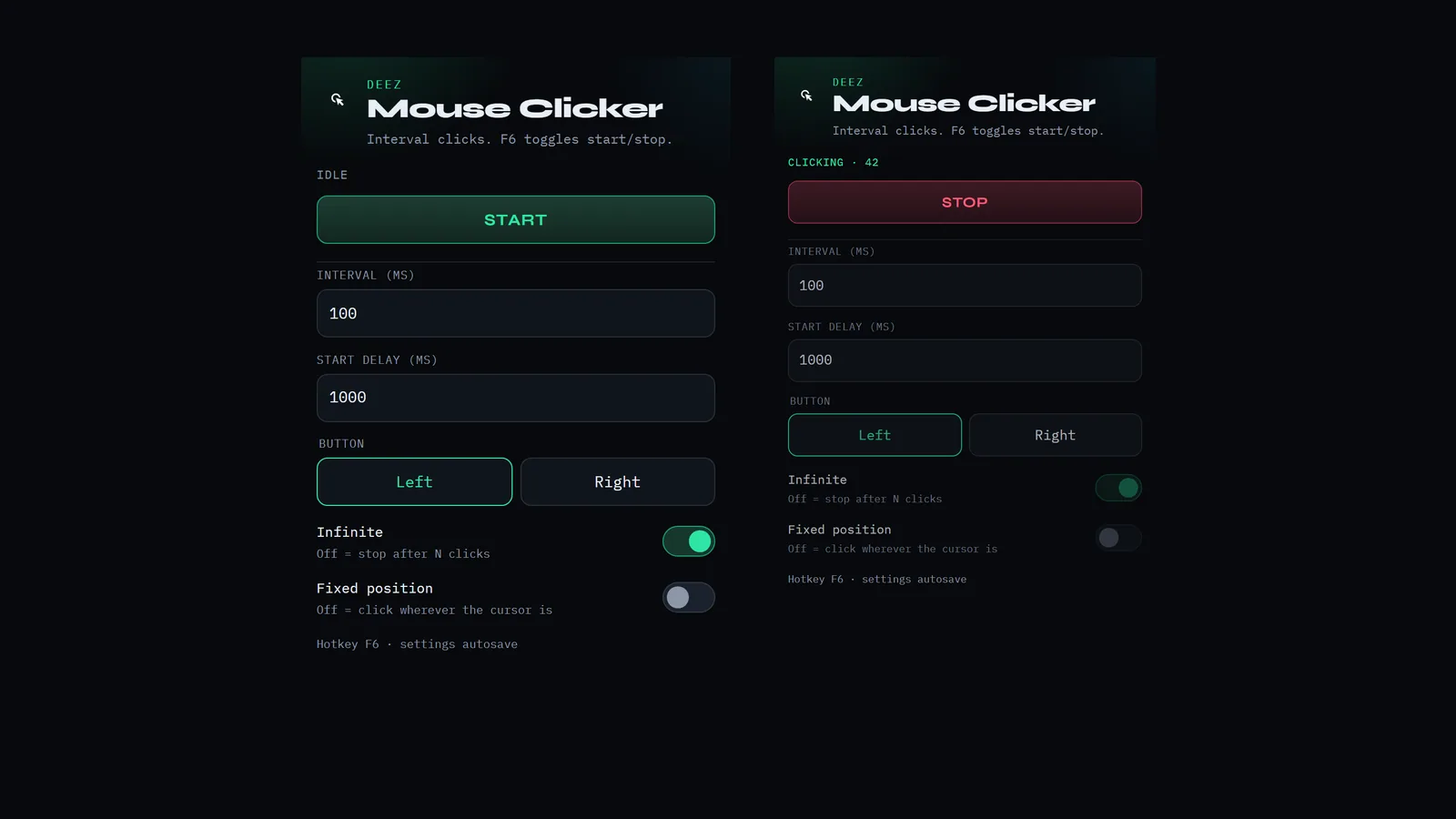
Set how often to click, which button and for how long, then press F6 to start and F6 again to stop. A small desktop app that saves your settings as you go.
The problem
Some jobs are just the same click, over and over.
Plenty of computer work comes down to clicking the same spot again and again: stepping through a long form or list, testing a button, or nudging along a slow process that wants a click every few seconds.
It's tedious, and for anyone with hand or wrist pain, or limited mobility, all that clicking is tiring or simply hurts. Doing it by hand also means you can't look away.
Deez Mouse Clicker does the clicking for you, at the pace you set, and stops the moment you press F6.
F6 to start and stop
A global hotkey toggles clicking from anywhere, so you never have to chase the window to make it stop.
Your pace
Set the interval between clicks in milliseconds, plus a start delay so you have time to move to the right spot.
Left or right, endless or counted
Pick the mouse button, then click until you stop it or stop after a set number of clicks.
Click where you want
Click wherever the cursor is, or lock to a fixed X/Y position and grab it from your current cursor.
Remembers your setup
Settings autosave. On a Mac it asks for Accessibility permission, which macOS needs for any app that clicks for you.


Be first in.
Leave your email and we'll tell you the day Deez Mouse Clicker goes live.