Supercharging Your Workflow Pipeline
Making a VRChat world has never been easier. Making a good one is as hard as it ever was.
The tools have changed a lot in the last year. I now sculpt, kitbash, light and debug with AI agents sitting in Unity next to me. But the pipeline underneath hasn't changed much. This is the one I use, start to finish.
If you've never opened Unity, start with The Basics of VRChat Worldbuilding first. This post is about the process around the buttons.
Part 1: Inspiration
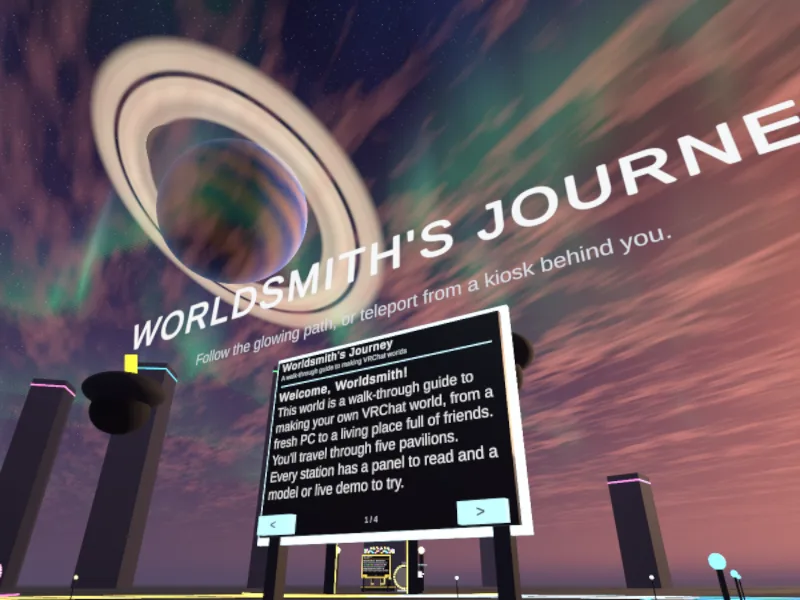
I built a world to go with this post: The Worldsmith's Journey. It's a walk-through guide to making your own VRChat world, from a fresh PC to a living place full of friends. Follow the glowing path through five pavilions. Every station has a panel to read and a model or live demo to try.
Read this post, then go and walk it. Or the other way round. ;)
Every world I'm proud of started with a feeling, not a feature list. A forest I couldn't stop thinking about. A question about memory. A film festival that needed a home in VRChat.
Go and visit worlds. Lots of them. Notice what makes you stop walking. Notice what makes you leave.
Part 2: Build Your Own Universe
A step-by-step guide to creating a VRChat world, from concept and sculpting to published.
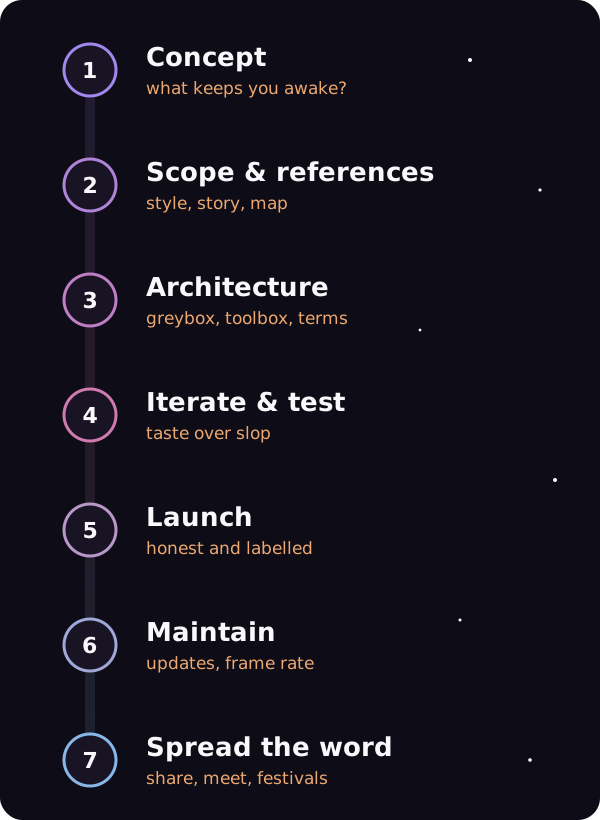
1. Concept
Everyone's got a billion-dollar idea. Execution is everything.
So what is art? For me, art is how we ask questions about the universe. Make art. Ask questions.
What's on your mind? What keeps you awake at night? That's your world. Write it down in one sentence before you open anything.
2. Scope & References
Now we make the idea concrete. Work through these before you build a single wall.
Style. What's your style? What has inspired you? What do you love? Collect it in one place: screenshots, films, paintings, other worlds. A mood board saves you a hundred arguments with yourself later.
What happens there. Interactions, triggers, surprises, quests, non-player characters (NPCs). Pick a few and do them well.
The journey. Story, player journey, maps, vistas and viewpoints. Sketch a top-down map, even a bad one. Mark where the player arrives, where they first look, and where you want them to stand still and take it in.
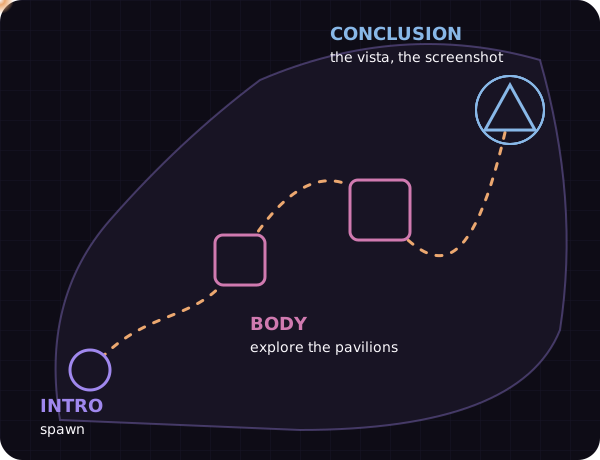
The shape. Intro, body, conclusion. A world is a story you walk through. Give it a beginning (the spawn), a middle (the thing to explore) and an end (the moment worth a screenshot).
Note: Scope is where most worlds die. Cut it in half, then cut it again. You can always add a room after launch.
3. Architecture, Skeleton & Important Ideas
Block out the whole world in grey boxes first. Walk it in VR at human scale. Only then start making things pretty.
What's your toolbox?
- VRChat Creator Companion (VCC): installs the VRChat SDK and keeps your Unity projects and packages in order. Non-negotiable.
- Unity MCP: lets an AI agent (Claude, Codex, Cursor, or any model through OpenRouter) read and change your Unity scene directly. Ask it to place props, wire up an Udon script or find why something's broken. It's been a game changer for me. It's far from perfect, so check its work.
- Kitbashing & assets: build from parts. CC0 libraries (free to use, no credit needed), Sketchfab (check each licence), and AI 3D generators like Hunyuan3D for one-off props.
You can't prompt what you haven't heard of
AI will happily do what you ask. It won't tell you what you forgot to ask for. These are the ideas worth knowing by name:
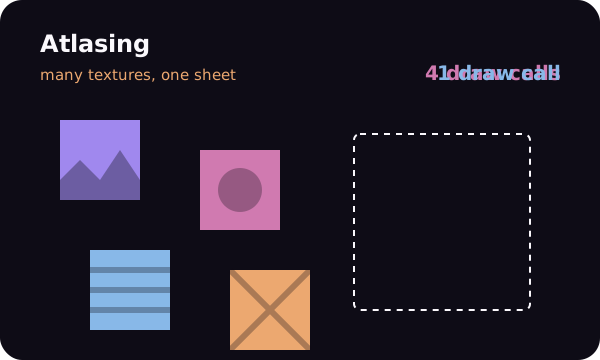
- Atlasing: packing many textures into one, so the headset draws more with fewer calls.
- Baked lighting: working out light and shadow once in Unity, instead of every frame in the headset. If your world is laggy, lighting is your first suspect.
- Poly counts: how many triangles are on screen. Quest players feel every one.
- Texture compression: smaller textures, faster loads, less memory. Big 4K textures rarely earn their place.
- Occlusion culling, LODs (levels of detail), draw calls, colliders. And so on…
Learn the words, and you can ask the AI the right questions.
4. Iteration & Testing
A very important note on "slop": slop is not AI. Slop is poor taste.
A hand-made world can be slop. An AI-assisted world can be beautiful. The difference is the person deciding what stays.
It's worth spending your time on quality. Quality is everything. Your final result is your reputation, and in VRChat people remember worlds for years.
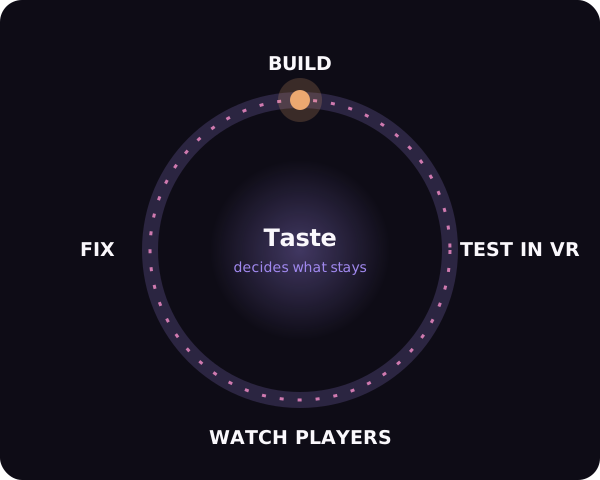
That said, iteration and feedback are your friends. Don't put pressure on yourself to get it perfect on the first try.
- Test in VR, not just the editor. Things feel different at human scale.
- Test on Quest if you're publishing for it. It's the slowest headset in the room.
- Invite a few friends to a private build. Watch where they walk. Don't explain anything.
- Fix, rebuild, repeat.
5. Launching
Before you press publish, be honest with your players.
- Ethics: respect your players' time, attention and comfort.
- Honesty: if you used AI for art, voices or code, say so. People appreciate it more than you'd think.
- Disclaimers: credit your asset creators and collaborators by name.
- Content warnings: flashing lights, horror, heights, loud audio. Tag the world properly and put a sign at spawn.
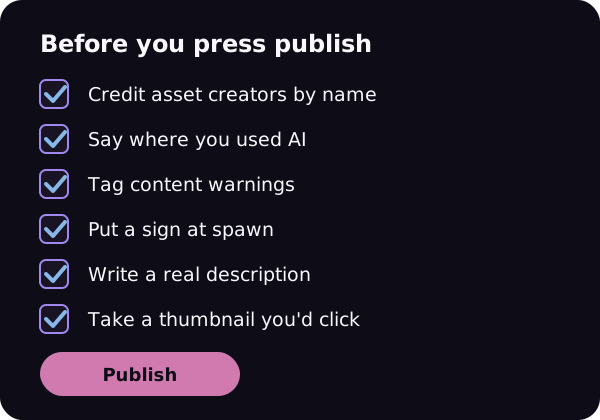
Then publish it publicly, write a good description, and take a thumbnail you'd actually click on.
6. Maintenance
A published world is a living thing.
- SDK updates: VRChat and Unity move on. Update through the Creator Companion and check nothing broke.
- Making sure things still work: videos, links, Udon scripts and pickups can quietly break. Walk your world every few months.
- Keeping performance high: no crashes, steady frame rate, small download. Check the performance rank on both PC and Quest.
7. Spreading the Word
Nobody can visit a world they've never heard of.
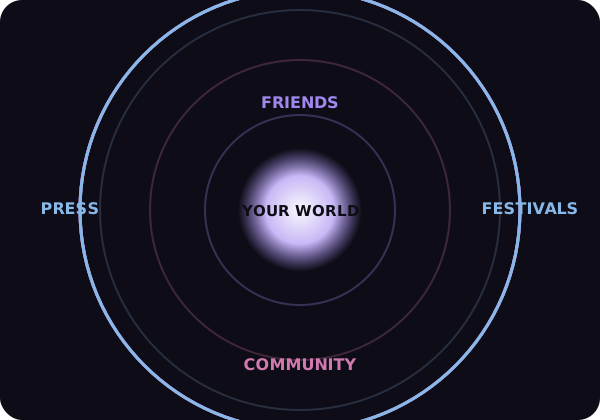
- Sharing: post clips and photos. Short videos of a world's best moment do more than any description.
- Community: join creator Discords and hang around in other people's worlds.
- Feedback from players: read it, thank them, and fix what comes up more than once.
- Meetups, festivals, publicity: host an opening night in your own world. Submit to festivals like Venice Immersive, Raindance and the VRChat community events. A good world deserves an audience.
We're all in this together. Make something, share it, and I'll see you in The Worldsmith's Journey.